Engineering notes · Next.js & Stripe Connect
Next.js Booking Workflows & Stripe Connect: Fieldspace
By Vasyl Sanotskyi ·
A sports-facility booking product serves guests who want to book and operators who manage resources, customers, and memberships. In Fieldspace, my work covered the Next.js application for both groups, including checkout connected to Stripe Connect.
My application scope
Fieldspace is a SaaS product for sports complexes. I owned the Next.js application used by operators and guests. The implementation scope included:
- Public facility pages and the guest booking interface.
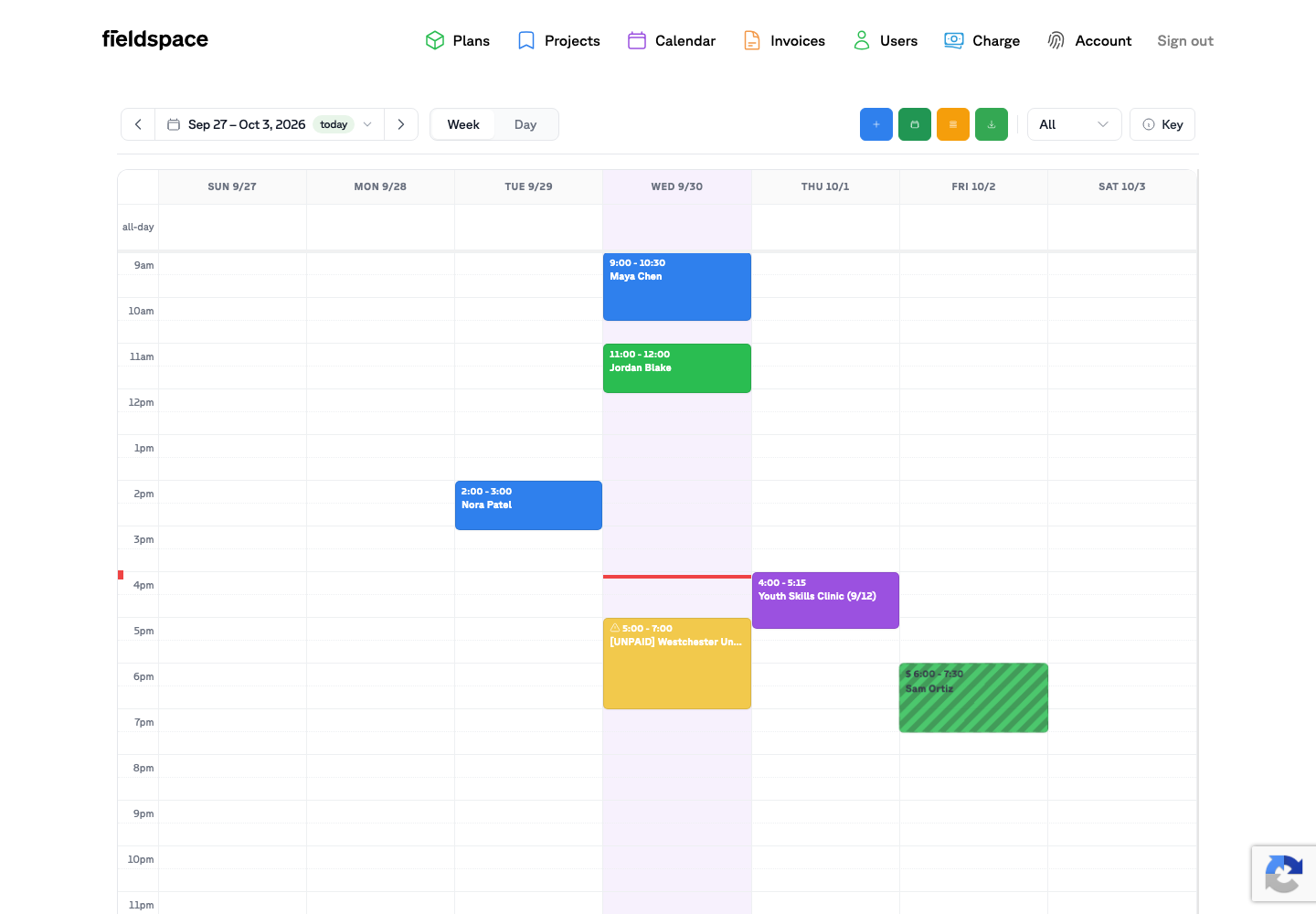
- Multi-location resources and the operator resource calendar.
- Invoice and confirmation states in the calendar workflow.
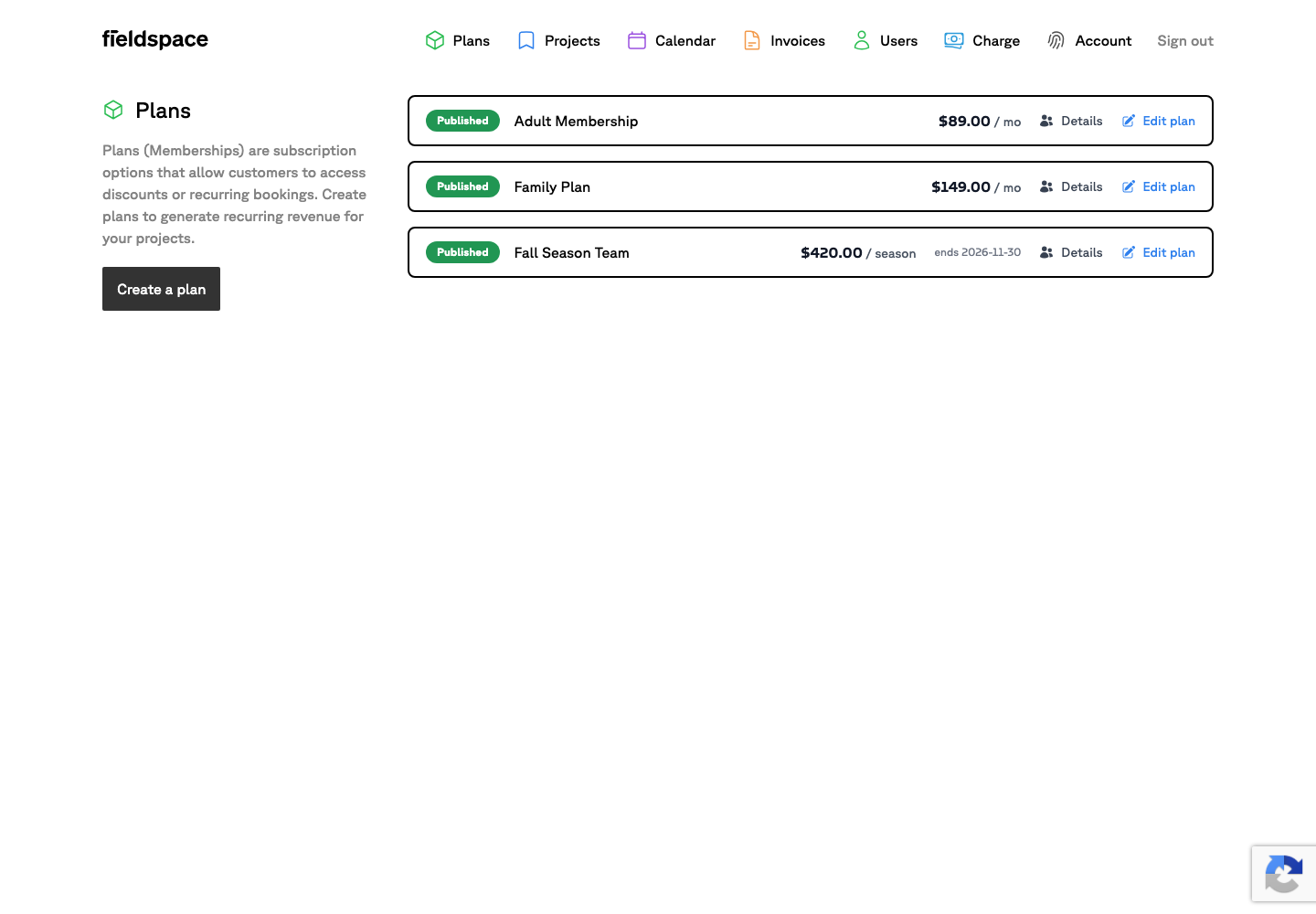
- Customer and member management, alongside membership plans.
- Checkout connected to Stripe Connect.
The Fieldspace case study includes the project overview, stack, and screenshots. Here I focus on how these parts fit into the application work.
Start with the guest and operator workflows
The public facility page is the guest-facing entry to booking. The operator calendar provides a different view: managing bookings and resources across locations, with invoice and confirmation states available in the administrative workflow.
For a similar Next.js booking project, I would map both workflows before estimating the screens. A public booking interface alone does not describe the operator work involved. The calendar, customer records, and membership tools belong in the scope discussion too.
Give invoice and confirmation states their own attention
My Fieldspace calendar work included invoice and confirmation states. These are useful distinctions when describing the interface: a calendar entry, its invoice state, and its confirmation state each carry context for the operator.
When scoping another booking application, I would ask the product owner to define those states and the actions allowed for each one. Which information should the guest see? Which changes can an operator make? Those answers help turn a request for “a booking calendar” into specific interface requirements.
Include the customer and membership tools
Fieldspace also includes customer and member management, alongside membership plans. These administrative screens were part of my Next.js application scope, together with the public booking pages and resource calendar.
For a new project, I would clarify how customers, members, and plans relate to the booking workflow. For example: what does an operator need to see about a member, and which plan details need to be managed? Those are planning questions for the new product; its membership rules need to be specified before implementation.
Scope Stripe Connect checkout alongside the application
My payment-interface work in Fieldspace was checkout connected to Stripe Connect. It sat alongside guest booking and the operator interfaces described above.
For a similar integration, I would first clarify what the application should display around checkout, how operators review the relevant invoice and confirmation states, and which parts of the payment integration are already in place. That provides a clearer starting point for the estimate than a request to “add Stripe.”
Planning a booking feature or an existing-product update?
Send the guest workflow, the operator tasks, and any existing designs or application context. We can identify the interfaces, states, and integration work needed for a focused first milestone.